Local LLMs via Ollama & LM Studio - The Practical Guide
Learn how to programmatically build AI Workflows & Agents. All the theory, plenty of examples.
About This Course
Unlock the Power of Private, Powerful AI on Your Own PC!
ChatGPT, Google Gemini and all those other AI chatbots are standard tools for everyday use. But like all tools, they're not the best choices for all tasks.
When privacy, cost, offline access, or deep customization matter, running powerful open models locally on your own computer beats all those proprietary models and third-party AI chatbots.
This course will teach you how to leverage open LLMs like Meta's Llama, Google's Gemma, or DeepSeek models to run AI workloads and AI chatbots right on your machine — no matter if it's a high-end PC or a normal laptop.
Why Local & Open LLMs?
In an era dominated by cloud-based AI and chatbots like ChatGPT, running state-of-the-art models locally offers game-changing advantages:
💰 Zero or Low Cost
Forget expensive subscriptions; tap into powerful models freely and run unlimited AI workloads without ongoing fees.
🔒 100% Privacy
Your prompts and data stay securely on your machine — always. No third-party servers, no data sharing, complete confidentiality.
📡 Offline First
Operate powerful AI tools anytime, anywhere — no internet required. Perfect for travel, secure environments, or unreliable connections.
🔓 Freedom from Lock-in
Access a diverse and rapidly growing ecosystem of open models. No vendor dependency, full control over your AI stack.
What You'll Master
This course is your comprehensive, hands-on journey into the practical world of local LLMs. We'll cut through the complexity, guiding you step-by-step from setup to advanced usage:
Foundations & Setup
Build a rock-solid understanding from the ground up:
- The Open LLM Landscape: Understand what open models are, why they matter, and where to find them
- Hardware Demystified: Learn the realistic hardware requirements for running LLMs locally
- Quantization Explained: Uncover the technique that makes running huge models feasible on consumer hardware
Tools & Platforms
Master the essential tools for local AI:
- LM Studio In-Depth: Install, configure, select, download, and run models with ease
- Ollama Mastery: Learn to install, configure, and interact with models seamlessly via the command line
- Programmatic Power: Integrate local models into your own scripts and applications using built-in APIs
Real-World Use Cases
Apply your knowledge to practical tasks that demonstrate the power of local AI:
🖼️ Image OCR
Extract and read text from images using local vision models — no cloud services needed.
📄 PDF Summarization
Summarize lengthy PDF documents quickly and privately on your own machine.
🎯 Few-Shot Prompting
Master advanced prompting techniques to get better results from your local models.
✨ Creative Content
Generate creative content, brainstorm ideas, and write with AI — completely offline.
Who Is This Course For?
See The Course In Action
Curriculum
- Running Locally vs Remotely (1:08)
- Module Introduction (2:03)
- Installing & Using LM Studio (3:09)
- Finding, Downloading & Activating Open LLMs (9:04)
- Using the LM Studio Chat Interface (4:53)
- Working with System Prompts & Presets (3:26)
- Managing Chats (2:32)
- Power User Features For Managing Models & Chats (6:28)
- Leveraging Multimodal Models & Extracting Content From Images (OCR) (2:48)
- Analyzing & Summarizing PDF Documents (3:27)
- Onwards To More Advanced Settings (1:52)
- Understanding Temperature, top_k & top_p (6:32)
- Controlling Temperature, top_k & top_p in LM Studio (4:45)
- Managing the Underlying Runtime & Hardware Configuration (4:17)
- Managing Context Length (5:21)
- Using Flash Attention (5:08)
- Working With Structured Outputs (5:29)
- Using Local LLMs For Code Generation (2:35)
- Content Generation & Few Shot Prompting (Prompt Engineering) (5:21)
- Onwards To Programmatic Use (2:25)
- LM Studio & Its OpenAI Compatibility (6:00)
- More Code Examples! (5:04)
- Diving Deeper Into The LM Studio APIs (2:10)
- Using the Python / JavaScript SDKs
- Installing & Starting Ollama (2:08)
- Module Introduction (1:41)
- Finding Usable Open Models (2:56)
- Running Open LLMs Locally via Ollama (7:43)
- Adding a GUI with Open WebUI (2:12)
- Dealing with Multiline Messages & Image Input (Multimodality) (2:38)
- Inspecting Models & Extracting Model Information (3:31)
- Editing System Messages & Model Parameters (6:01)
- Saving & Loading Sessions and Models (3:35)
- Managing Models (5:42)
- Creating Model Blueprints via Modelfiles (6:22)
- Creating Models From Modelfiles (3:26)
- Making Sense of Model Templates (6:39)
- Building a Model From Scratch From a GGUF File (6:37)
- Getting Started with the Ollama Server (API) (2:12)
- Exploring the Ollama API & Programmatic Model Access (5:18)
- Getting Structured Output (2:56)
- More Code Examples! (4:53)
- Using the Python / JavaScript SDKs
Course Prerequisites
Here's what you need to get the most out of this course
- Basic understanding of LLM functionality & usage.
- If you want to run models locally: At least 8 GB of (V)RAM will be required.
- NO programming or advanced technical expertise is required.
All pre-requisites are covered by courses in our "Academind Pro" Membership.
Your Instructor
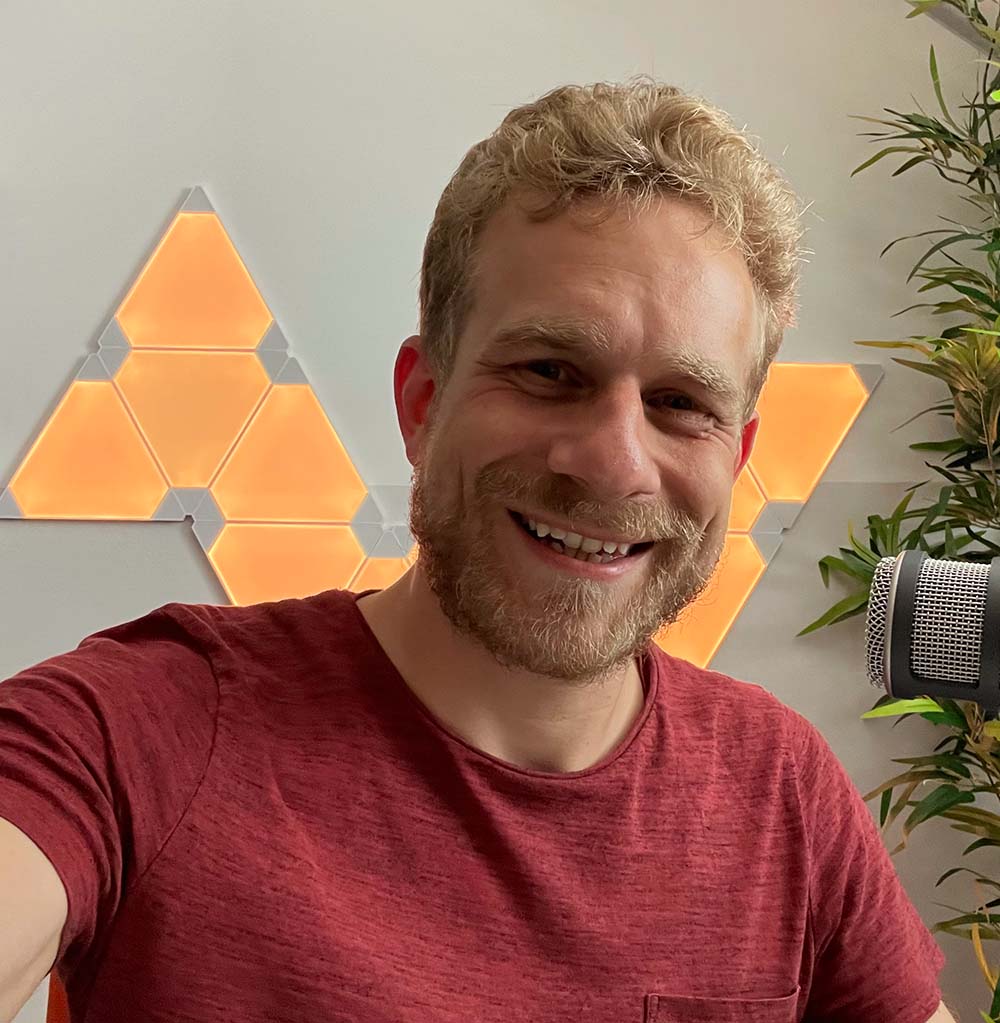
Maximilian Schwarzmüller
Founder & Instructor
Self-taught developer with 3,500,000+ students and 900,000 YouTube subscribers. I co-founded Academind with Manuel Lorenz to help people master new skills and build amazing projects.
Join 1950 happy students!
Choose the plan that works best for you
Single-Course License
Full access to "Local LLMs via Ollama & LM Studio - The Practical Guide"
This is a one-time payment that grants access to this course only, not to any other courses.
Academind Pro Membership
Unlimited access to this and all other current & future courses!
This is a recurring payment. You can cancel anytime from your profile. For more info, contact Academind.
Continue Your Learning Journey
Expand your skills with these hand-picked courses that complement what you'll learn here.